
Free Training & Career Tips... Subscribe to Get Weekly Career Tips

By Subscribing You are Agreeing to Terms and Conditions
Power BI is Microsoft’s business analytics tool for turning data from spreadsheets, databases and online services into interactive reports and dashboards. Getting up to speed with it lets your team see current figures without rebuilding reports by hand – see BOTI’s Microsoft Office and computer skills courses.
Getting up to speed with Power BI has many benefits. Firstly, without the power of Power BI, your organisation would still operate – yet, you would miss out on a whole host of features and benefits. So, keep your eye on Power BI as we explore just how many advantages it gives you.
In a nutshell, Power BI is Microsoft’s premier business analytics tool that is specifically designed to enable access to business intelligence capabilities as well as interactive visualisations.
What distinguishes Power BI from other similar tools is its ease of use. Via its intuitive user interface, it enables easy navigation in creating reports and dashboards.
Today’s business environment is more competitive than ever. And while business intelligence may have once been a nice to have, extra capability that provided a helping hand on the road to success, it is now critical for long-term business sustainability.
Here are some of the main features and benefits of using Power BI.
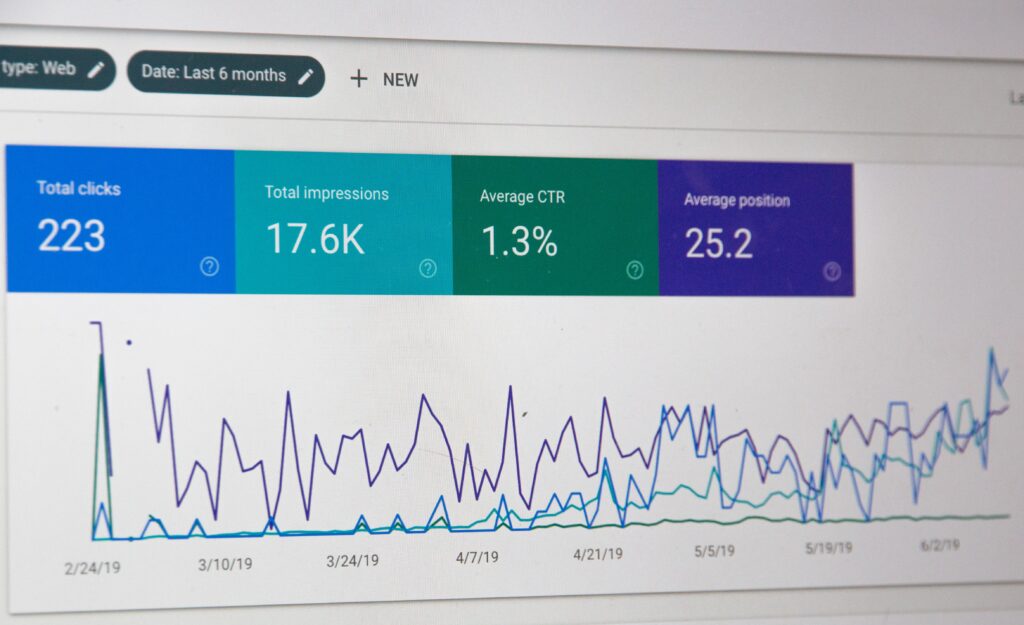
Power BI’s varied dashboard and report options are key features that enable interactivity as well as the option to personalise dashboards and reports. Hence, working with the myriad visualisation options, reports and dashboards, translates into the power to collate, summarize and present all types of information in a visual and concise manner.
Back in the day, obtaining new information and data meant going through the laborious process of report or dashboard generation repeatedly. Nowadays, thanks to Power BI, dashboards and reports refresh from the data source automatically, on a schedule or, with live connections, as the data changes.
One of the most distinguished characteristics of Power BI is its integration feature that enables the use of multiple data sources. From data files or server databases, Microsoft products to third-party sources and tools, the actual scope of Power BI’s data source integration is astounding. Not to mention that these data sources are continuously updated and added which constantly broadens Power BI’s capabilities as an analytics platform.
Versatility and ease of use are two of the most discerning features that enable anyone to quickly master Power BI. Since many organisations still rely on Excel for analytics and reporting purposes Power BI enables a seamless transition to its platform by providing broad Excel integration de luxe.
Data analytics and business intelligence used to be premium services that came at a premium cost. While this situation still exists to a certain degree where it concerns independent experts or analytics platforms, Power BI has come a long way towards breaking through high-cost barriers by being comparatively affordable for businesses of all sizes.

Over and above providing a business intelligence and data analytics platform, Power BI possesses powerful leading-edge Artificial Intelligence capabilities. As an established AI pioneer, Microsoft’s ongoing advances in this field cascade down to the Power BI suite.
Taken as a whole, the truth about Power BI is that its capabilities are far reaching, and with the constant drive to refine and update the platform with more features, there are even more reasons why you need to get up to speed with Power BI. So, get on board with Power BI and enjoy the ride.
BOTI’s Microsoft Power BI Basics (3 days) course takes new users from connecting data to building interactive reports and dashboards, and Data Analytics Fundamentals with Excel and Power BI (3 days) covers analysis in both tools. For Excel-based reporting, see Excel Pivot Tables, Dashboards and Power Pivot (2 days).
Power BI is used to connect to business data, combine and clean it, and present it in interactive reports and dashboards that managers can explore and share.
Power BI is approachable for people who already use Excel, because it shares many concepts. A short, structured course is the quickest way to learn the main features.
Yes. Power BI can import Excel workbooks and tables, and many organisations move their Excel reports into Power BI to share them as dashboards.
Microsoft Power BI Basics runs over three days, in-house, at BOTI’s venue in Sunningdale, Johannesburg, or live online.
Get your team up to speed with BOTI’s Microsoft Power BI Basics (3 days) course. Training runs in-house at your premises, at BOTI’s venue in Sunningdale, Johannesburg, or live online. Call BOTI on 011 882 8853 or email [email protected], or request a quote. This course is not accredited. It is delivered as a professional skills programme, and delegates receive a BOTI certificate of attendance.
About Us




Monday to Friday, 08:00–17:00. After hours, we reply on the next working day – or call 011 882 8853.
Copyright text 2026 by Business Optimization Training Institute.