
Free Training & Career Tips... Subscribe to Get Weekly Career Tips

By Subscribing You are Agreeing to Terms and Conditions
On the Excel ribbon, the field with the lightbulb followed by an empty text box is the Tell Me box. Its purpose is to take you straight to help and to the command you need: type what you want to do, and Excel shows the matching button and help topics. In Microsoft 365 it now sits in the Search box at the top of the window. Practical skills like this are covered across BOTI’s Microsoft Office and computer skills courses.
In the modern workplace, information is everywhere. Many of us feel we are treading water just to keep up with the spreadsheets, reports and exports that land in our inboxes. If you have ever felt overwhelmed by a spreadsheet, take a deep breath and know one thing: Excel is not your enemy. It is one of the most useful allies you have.
As we move through the mid-2020s, the “digital divide” is not only about who has a computer. It is about who knows how to make that computer work for them. Upskilling in Excel from Beginners to Advanced levels is no longer just “nice to have”. It is a foundation of professional confidence.

Many computer literacy tests ask: “On the ribbon, what is the purpose of the field with the lightbulb followed by an empty text box?” The usual options are to change page setup, to create a formula, to go directly to the help menu, or to change the view percentage. The correct answer is to go directly to the help menu. More precisely, the box searches for commands and help, so you do not have to know which tab a feature lives on.
Here is how it works in practice:
Word and PowerPoint have the same box, so the habit carries across the whole Office suite.
Why should you invest your time in learning cells and formulas? Because the rewards go far beyond the screen:
We believe that everyone can be “good at Excel”. It is not about being a maths genius. It is about understanding the logic of organisation.
The Beginner Phase: Building the Foundation. At the start, it is all about getting comfortable. Learning how to navigate the ribbon (including the Tell Me box), format cells and write your first basic formulas, such as SUM and AVERAGE, is like learning the alphabet. Once you know the letters, you can start writing sentences. The Microsoft Excel Beginners course covers this stage.
Tip: Always keep your raw data “clean”. Avoid merged cells and empty rows, because Excel works best with a tidy, continuous table.
The Intermediate Phase: Connecting the Dots. Once you are comfortable, you begin to explore how different pieces of information relate to each other. This is where you learn about Data Validation (drop-down lists) and PivotTables, which can summarise thousands of rows of data in a few clicks. See Microsoft Excel Intermediate for this level.
The Advanced Phase: The Architect of Data. At the advanced level, you design the workbook. You use logical functions, such as IF statements, so the spreadsheet makes decisions for you. You move into Power Pivot and data modelling, which let Excel handle large amounts of information from several tables. The Microsoft Excel Advanced and Excel Pivot Tables, Dashboards and Power Pivot courses focus on this stage.
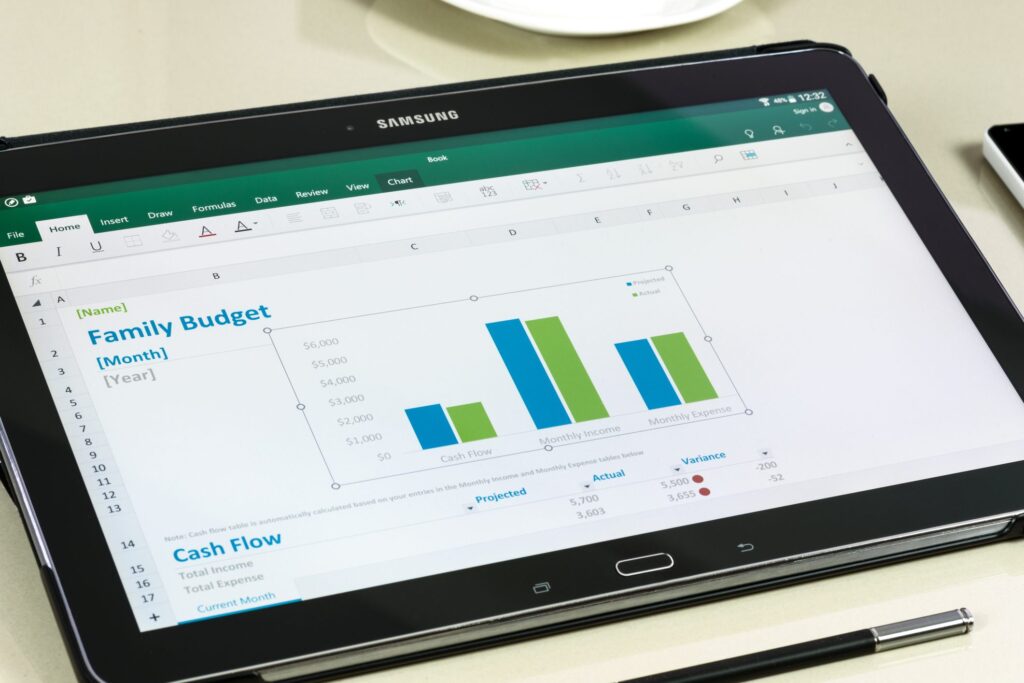
Data literacy is the ability to read, work with, analyse and question data. In 2026 it sits alongside writing and presenting as a core workplace skill. When you understand data, you are less likely to be misled by poor statistics and more likely to spot opportunities that others miss.
People often call data the “new oil”. If that is true, Excel is the refinery. It takes raw, messy information and turns it into something clear and usable. Teams that want to go further can combine Excel with Power BI through Data Analytics Fundamentals with Excel and Power BI, or focus on analysis in Analysing Data with Excel.
If you are still feeling a bit nervous, try these three low-pressure ways to get comfortable with Excel today:
Moving from Excel Beginners to Advanced doesn’t have to be a struggle. The most effective way to learn is through structured, supportive training that starts where you are.
At BOTI, our Excel courses are designed with the person in mind. Facilitators work at a pace that keeps the group together, using practical exercises so that “spreadsheet dread” becomes everyday confidence. Whether you want to brush up on the basics or master data analysis, there is a level that fits.
The age of technology is here, and it is full of opportunity. Let’s make sure you have the skills to take it.
It is the Tell Me box. It takes you directly to help and to the command you need: type what you want to do, and Excel lists matching commands and help topics. In a multiple-choice test, the correct answer is “to go directly to the help menu”.
In Microsoft 365 the Tell Me feature is part of the Search box at the top of the Excel window. You can click it or press Alt+Q, then type a task such as “insert chart” or “freeze panes”.
No. It finds commands and help. Formulas are built in the formula bar or from the Formulas tab, page setup is on the Page Layout tab, and the view percentage is changed with the zoom slider on the status bar or on the View tab.
If you are new to Excel, start with Microsoft Excel Beginners. If you use Excel daily but want PivotTables, data validation and logical functions, choose Intermediate or Advanced. If you want to cover all three levels in one programme, Microsoft Excel Beginners to Advanced runs over 3 days.
To build these skills step by step, book Microsoft Excel Beginners to Advanced, a 3-day course that takes delegates from navigating the ribbon to PivotTables and logical functions. Training runs in-house at your premises, at BOTI’s venue in Sunningdale, Johannesburg, or live online. Call BOTI on 011 882 8853 or email [email protected], or request a quote for your team. This course is not accredited. It is delivered as a professional skills programme, and delegates receive a BOTI certificate of attendance.
About Us




Monday to Friday, 08:00–17:00. After hours, we reply on the next working day – or call 011 882 8853.
Copyright text 2026 by Business Optimization Training Institute.